As an Amazon Associate I earn from qualifying purchases.
The PLK A3 L1800 is still my top DTF printer for a small business because it is the machine I have actually used and learned on. It gives you a useful A3-size workflow without jumping straight into the price, space, and production requirements of a 24-inch commercial system.
If I were shopping for a new machine today and wanted the easiest workflow rather than the lowest equipment cost, the new xTool Apparel Printer Plus would be the other printer at the top of my list. Its dual Epson I1600 printheads, 14-inch print width, automatic maintenance features, and optional shaker oven solve several of the things that make traditional DTF printing annoying in the first place. xTool rates the Plus at up to 50 sq ft per hour and supports Windows, macOS, iOS, and Android through its own software.
Those two printers suit very different buyers, which is why I would not choose a DTF printer from a spec sheet alone.
A printer for a home-based Etsy shop has a different job from one producing hundreds of transfers every day. Print width matters. So do maintenance, RIP software, curing, ventilation, replacement parts, and the amount of manual work required after the film leaves the printer.
I have compared five machines below with those differences in mind.
- Quick DTF Printer Comparison
- Should You Buy a DTF Printer at All?
- 1. PLK A3 L1800: My Top Pick
- 2. xTool Apparel Printer Plus: Best Automated DTF Printer
- 3. Punehod A4 XP600: Best Budget DTF Printer
- 4. Procolored F13 Pro: Best A3 Upgrade for Growing Shops
- 5. Ving 24-Inch DTF Printer: Best for Commercial Production
- What Makes a Good DTF Printer for a Small Business?
- Do Not Forget the Equipment Around the Printer
- Calculate Total Cost, Not Printer Price
- How I Would Choose Between These Five
- Final Thoughts
Quick DTF Printer Comparison
| DTF printer | Best for | Print width | Printhead | My take |
|---|---|---|---|---|
| PLK A3 L1800 | Best overall value | About 13″ | Epson L1800 platform | My top pick based on hands-on use |
| xTool Apparel Printer Plus | Best automated workflow | 14″ | Dual Epson I1600 | Best choice if reducing maintenance and manual work matters most |
| Punehod A4 XP600 | Best budget option | 8.3″ | XP600 | Good entry point if A4 width is enough |
| Procolored F13 Pro | Best A3 production upgrade | 13″ | Dual XP600 | Faster conventional roll-fed option for growing shops |
| Ving 24″ DTF Printer | Best commercial option | 24″ | Dual Epson I3200-A1 | Too much machine for most home businesses, useful at real production volume |
One warning before spending several thousand dollars: the best DTF printer is sometimes no printer at all.
Should You Buy a DTF Printer at All?
DTF becomes attractive when you need to produce custom apparel repeatedly and want control over turnaround time.
The process is flexible. You print the design onto PET film with color and white ink, apply hot-melt adhesive powder, cure that powder, then use a heat press to transfer the design onto the garment.
That lets you decorate cotton, polyester, blends, denim, and many other fabrics. Dark garments are not a problem because the printer lays down a white base behind the colored image.
It also avoids the cutting and weeding required with HTV.
But owning the printer adds another job to your business.
White pigment ink settles. Printheads can clog. Film can feed incorrectly. Humidity affects inkjet systems. Powder has to be cured correctly. Your printer still needs attention during weeks when orders are slow.
That last part is the reason I would not buy one simply because printing transfers at home sounds cheaper.
If you sell only a handful of shirts each week, ordering ready-made DTF gang sheets can make much more sense. You avoid the printer purchase, RIP setup, consumables, printhead risk, and maintenance time.
Once you have steady volume, the calculation changes.
A useful way to calculate it is:
Printer break-even volume = total equipment cost ÷ savings per transfer produced in-house
Suppose an outsourced transfer costs you $3 and the equivalent film, ink, and powder cost $1 when you print it yourself. Your gross saving is $2 per transfer before maintenance and labor.
A $5,000 setup would therefore need about 2,500 transfers just to recover the equipment cost.
That does not mean 2,500 is the universal break-even point. Your numbers could be completely different. It does show why buying a printer for 20 shirts a month and buying one for 500 shirts a month are two different decisions.
I would buy my own DTF printer when production delays, transfer costs, or the need for same-day customization have become an actual constraint. I would not buy one merely because I might need it later.
1. PLK A3 L1800: My Top Pick
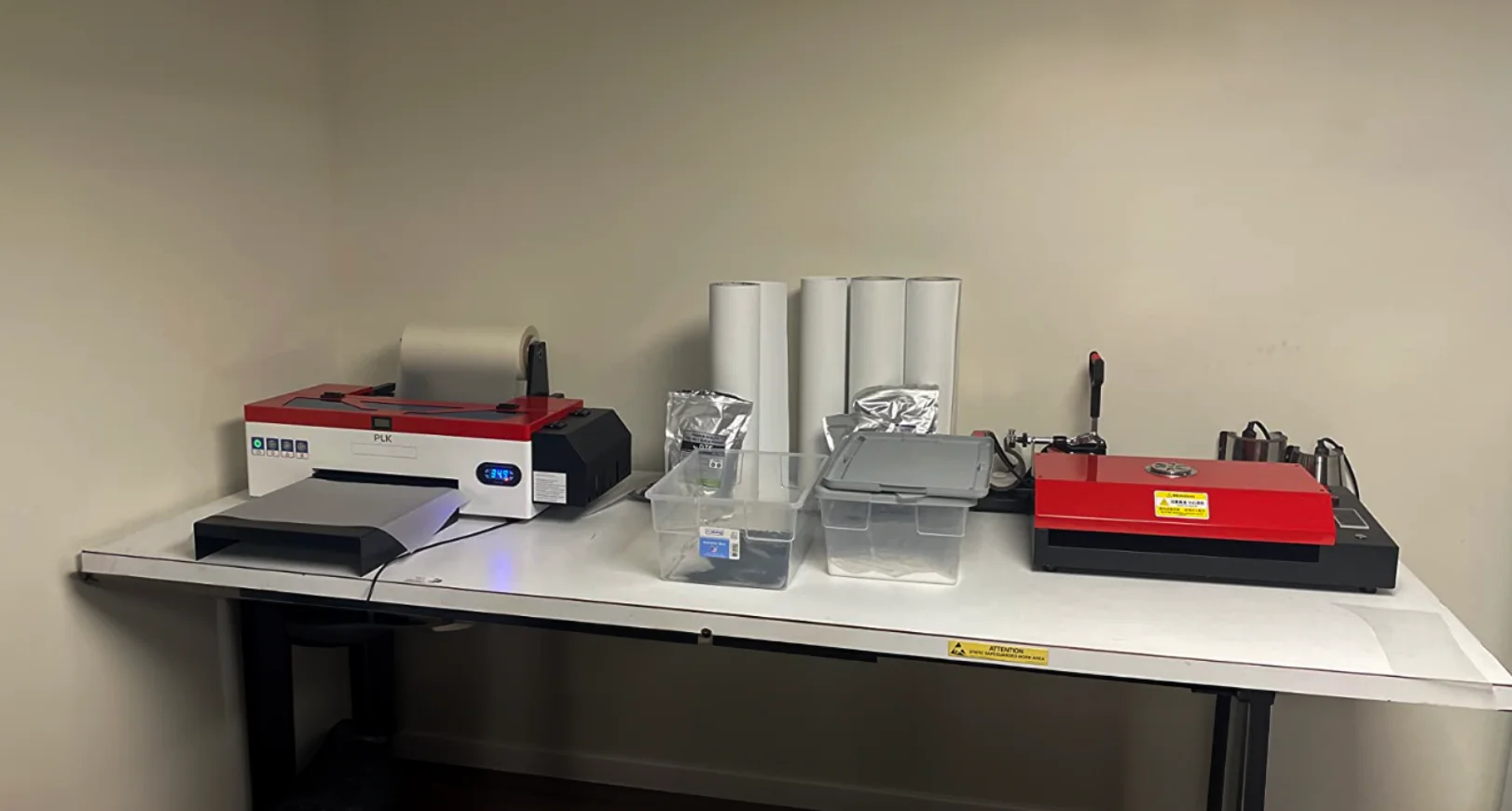
The PLK A3 L1800 stays at the top of my list for one simple reason: I have used it a lot.
There are newer printheads and much more automated machines available now. I am not going to pretend otherwise.
What I know about the PLK comes from having the printer in front of me, dealing with setup, running prints, maintaining it, and contacting support when I needed help.
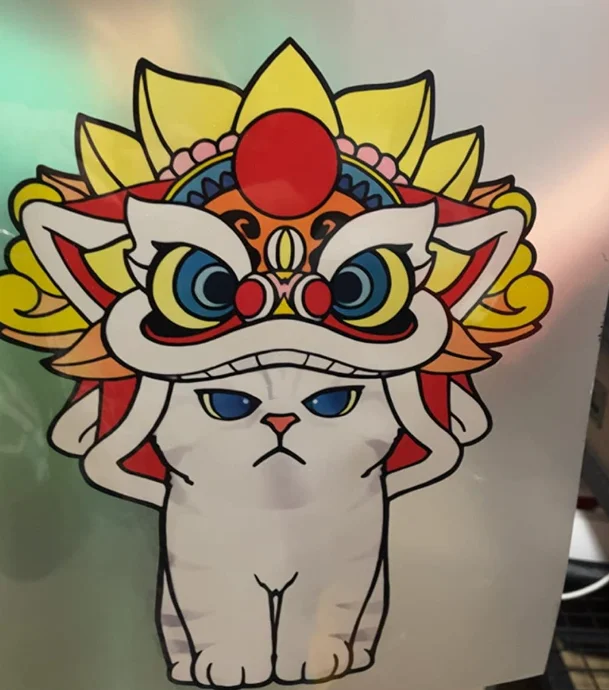
The print quality was the first thing I liked about it. Properly configured designs come out sharp with a strong white base, and the A3-size roll setup is large enough for the sort of full-front shirt graphics a small apparel shop is likely to sell.
It also has white ink circulation, which matters more to me than another impressive resolution number on a product listing.
White DTF ink contains a large amount of pigment. If it sits, that pigment tends to settle. Circulation and stirring do not make maintenance disappear, but they reduce one of the most common causes of trouble with inexpensive DTF systems.
What It Is Like to Own
The part of the PLK experience that does not show up in specifications is support.
I have spoken with Jack from the PLK team several times when I needed help. The support was useful and specific enough to solve actual problems rather than just sending me back to a manual.
The team is overseas, so WhatsApp and the time difference are part of the experience. I do not consider that a deal breaker, but it is different from buying a Roland from a local commercial-print dealer who can potentially put a technician in your shop.
I also would not call the setup plug-and-play. This is still a traditional DTF machine. Expect to install and configure RIP software, learn the ink system, run nozzle checks, and understand what a healthy test print should look like.
My routine is to check the printer before committing film and ink to a real order. If the nozzle check is bad, fix that first.
Do not start repeatedly running cleaning cycles because a print looks slightly wrong. Cleaning wastes ink and cannot fix every possible problem. First work out whether you are dealing with missing nozzles, an ink-flow issue, incorrect RIP settings, or something mechanical.
And do not physically scrub the printhead because you saw somebody do it in a random video. Follow the maintenance procedure for the machine.
An Important 2026 Caveat
The L1800 is no longer PLK’s newest platform. PLK’s current range has moved toward XP600 models, including newer A3 and A3 Plus machines with features such as automatic cleaning, film cutters, and improved white-ink management.
That does not suddenly make the L1800 I used a bad printer.
It does mean I would compare the price of the exact L1800 listing against PLK’s newer XP600 versions before ordering today.
If the older machine is substantially cheaper, I still like it as a proven small-business option.
If the prices are close, buy the newer platform.
Who Should Buy It?
The PLK makes sense for someone moving beyond occasional hobby printing who wants A3 capacity but is not ready to dedicate half a room and five figures to a production line.
Its biggest weakness in 2026 is not print quality. It is that newer systems such as the xTool automate more of the work around the print itself.
That leads directly to my second choice.
2. xTool Apparel Printer Plus: Best Automated DTF Printer
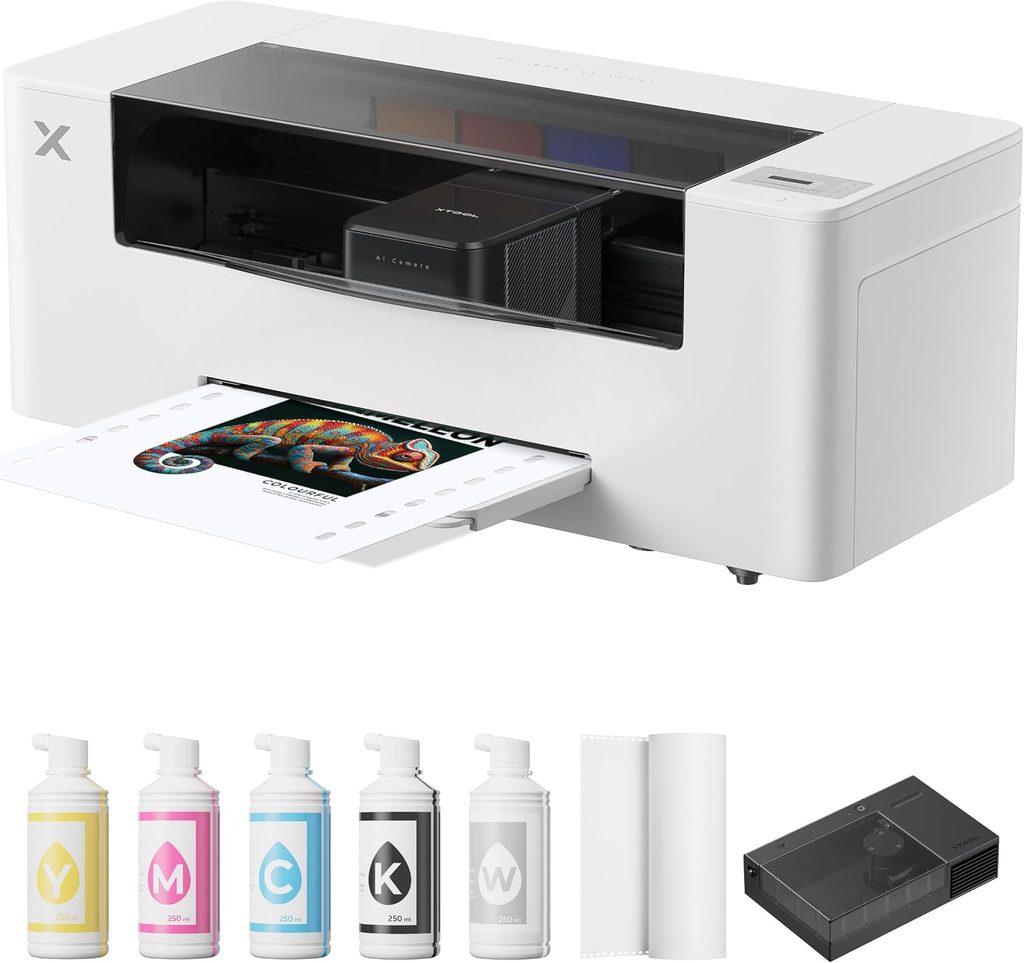
The xTool Apparel Printer Plus is the most interesting new DTF printer on this list.
I’ve used, but do not personally own the Plus, so I am separating the things I know from experience with the PLK from what can be verified about the xTool hardware.
On paper, xTool has attacked several of the traditional DTF pain points directly.
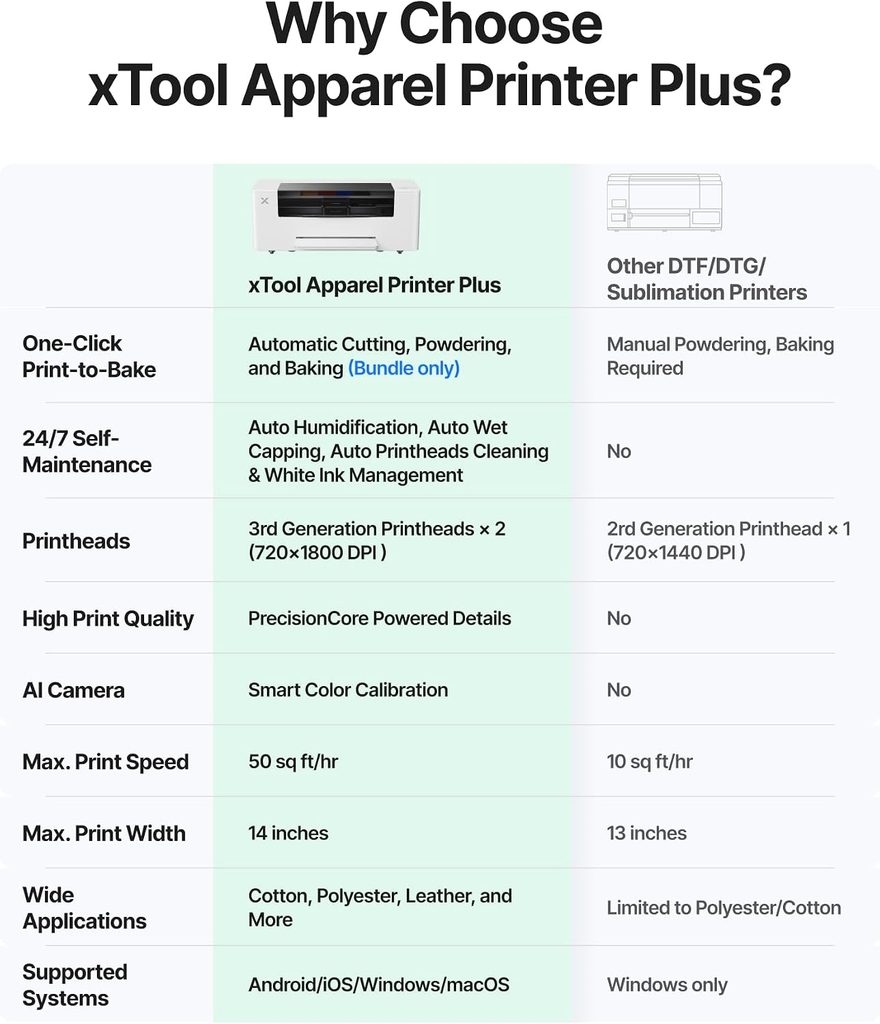
The Plus has dual Epson I1600 printheads, a 14-inch print width, 720 x 1800 dpi output, and a claimed production speed of up to 50 sq ft per hour. The printer itself measures about 35.6 x 14.4 x 14 inches.
More interesting are the maintenance systems.
It has automatic printhead cleaning, white-ink circulation, wet capping, and a built-in humidifier. xTool says the humidification system tries to maintain roughly 45% to 65% humidity around the printheads. Remote monitoring and maintenance controls are also available through its app.
Those are not decorative features on a DTF printer.
A machine that can protect its printheads and manage white ink during downtime can save more frustration than a small difference in maximum resolution.
Standalone vs. the Full xTool System
There is one important distinction in the Amazon listing you are looking at.
The standalone Apparel Printer Plus is the printer. It does not magically powder and cure the transfer by itself.
For the automated workflow xTool advertises, you pair it with the OS1 Automatic Shaker Oven. The film then moves from printing into automatic powder application and curing. xTool describes the combined system as a print-to-bake workflow.
If you buy the standalone printer, you still need a curing method and a heat press. You also have to handle the adhesive powder yourself unless you add compatible automation.
That makes the package decision important.
A person printing a few custom jobs may be completely happy with the standalone machine and a separate oven.
A business producing transfers continuously gets much more value from the shaker oven because manual powdering and curing become labor bottlenecks surprisingly quickly.
It Also Fixes the Mac Problem
The old version of this article said you need a Windows PC because most DTF software does not support macOS.
That is no longer universally true.
xTool Studio supports both Windows and macOS, and xTool also lists Android and iOS support for its newer workflow.
Many other DTF printers still rely on Windows-only RIP software, so check this before buying if your business runs entirely on Macs.
The Downsides
The first one is price.
The Plus standalone was listed by xTool at $5,399 when I updated this guide. Prices and bundles change, so I would check the current package rather than treating that as a permanent number.
The second downside is that you get the greatest benefit when you buy further into the xTool ecosystem.
Printer plus shaker oven plus heat press plus air handling is a much larger purchase than the Amazon product page for the standalone printer initially suggests.
And although 14 inches is generous for a desktop DTF system, it is not a substitute for a 24-inch commercial printer if you routinely build large gang sheets.
For a small business that values time more than the absolute lowest hardware price, I would still put the xTool very high on the shortlist.
3. Punehod A4 XP600: Best Budget DTF Printer
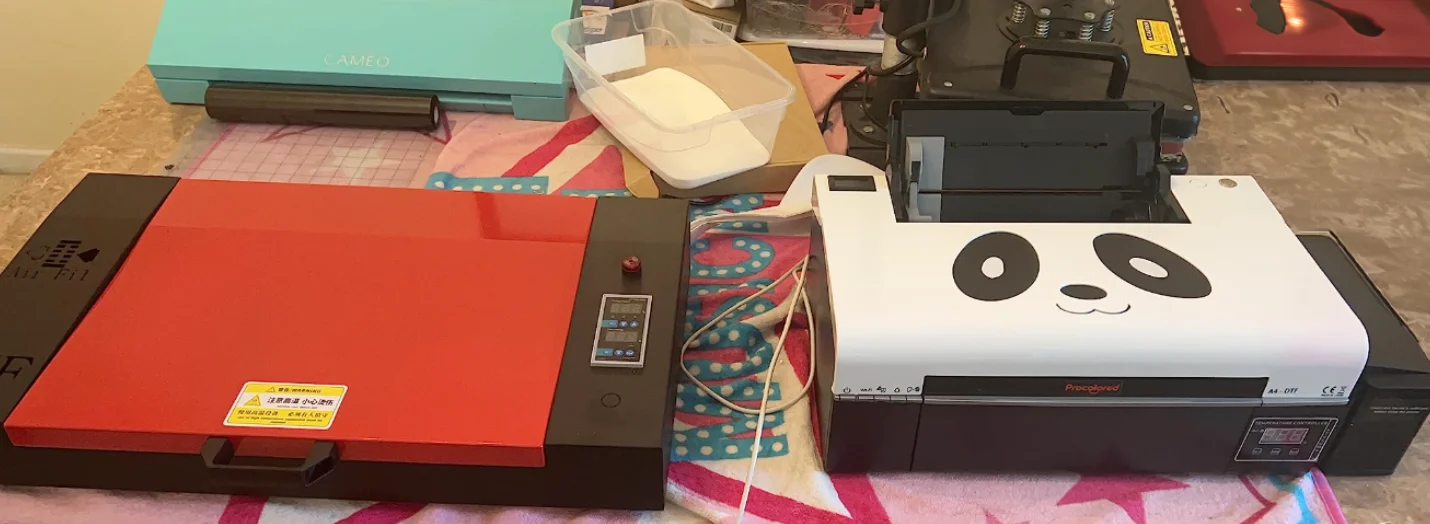
The previous version of this guide recommended Punehod’s older A4 L805.
For 2026, I would move to the current A4 XP600 instead.
At the time of this update, Punehod lists the XP600 version at an 8.3-inch print width with a single XP600 printhead, roll feeder, automatic cutter, white-ink stirring, white-ink circulation, and Windows-based Atusums RIP software. Punehod specifies about four minutes for an A4-size print.
That 8.3-inch width is the reason it is third rather than second.
It is enough for many chest graphics, children’s apparel, logos, sleeves, bags, and smaller designs.
It gets restrictive if your business sells oversized adult shirt graphics.
Measure some of your existing designs before buying. Do not discover after the printer arrives that half your best sellers are 10 or 11 inches wide.
Why I Still Like the A4 Format
A smaller printer costs less and occupies less space.
Punehod’s current machine was listed at about $1,300 when I checked, with an oven bundle around $1,500. Those are promotional prices and can change.
That is a very different financial commitment from a $5,000 printer or an $11,000 commercial system.
For somebody proving a business model, that matters.
The XP600 model also includes the white-ink circulation and stirring features I would now consider basic requirements on a DTF printer.
What You Give Up
Width is the obvious compromise.
Production capacity is the other one.
An A4 machine may be economical when you are producing a small number of individual designs. If orders grow, the time spent feeding an 8.3-inch machine can become more expensive than the money you saved at purchase.
It is also Windows-only according to Punehod’s current specifications.
I would choose it for a new business with modest volume and designs that genuinely fit A4. I would skip it if you already know you need full-size adult graphics every day.
4. Procolored F13 Pro: Best A3 Upgrade for Growing Shops
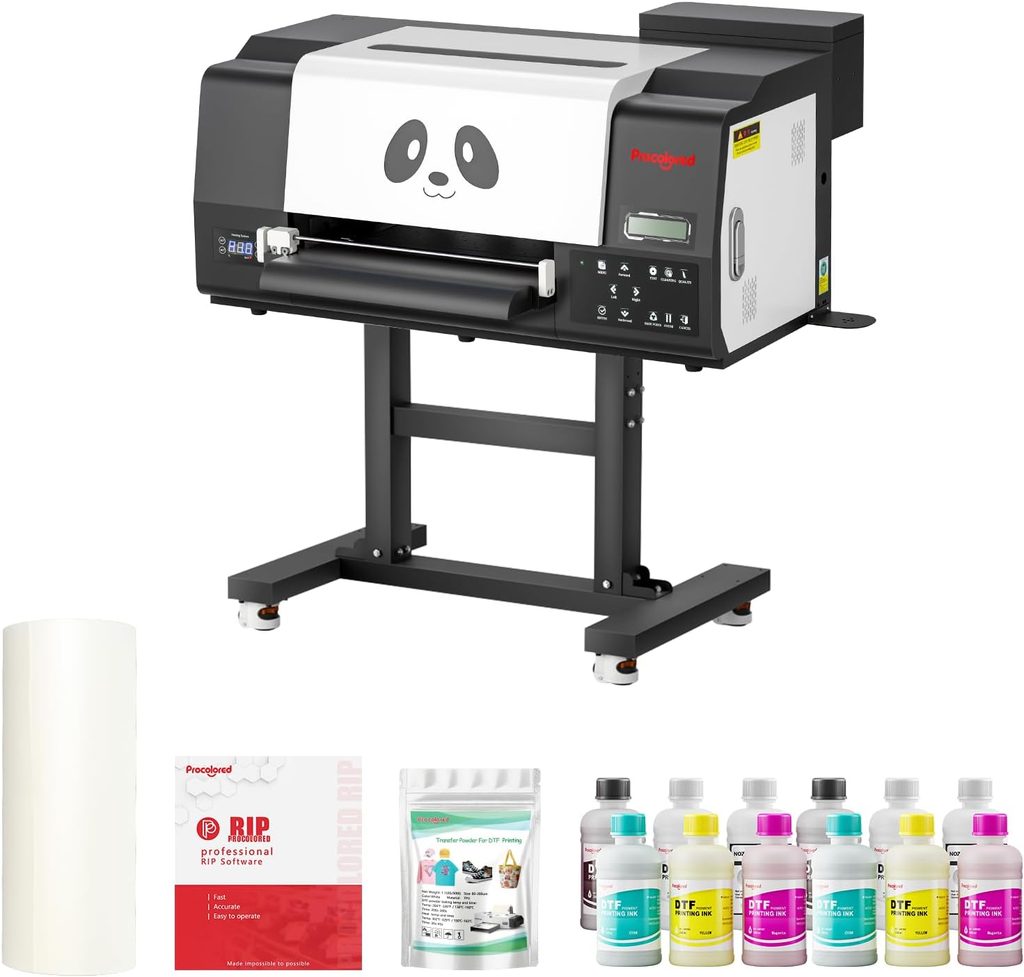
The Procolored F13 Pro fills the gap between inexpensive single-head A3 machines and larger commercial systems.
It uses two XP600 printheads and prints on 13-inch roll film. Procolored specifies about 13 letter/A4-size prints per hour, with each A4 print taking roughly 4.5 minutes. It also includes a film cutter and Pro RIP software.
The printer weighs about 86 lb and measures approximately 29.5 x 17.7 x 14.2 inches, so it is still realistic for a small workshop rather than requiring industrial floor space.
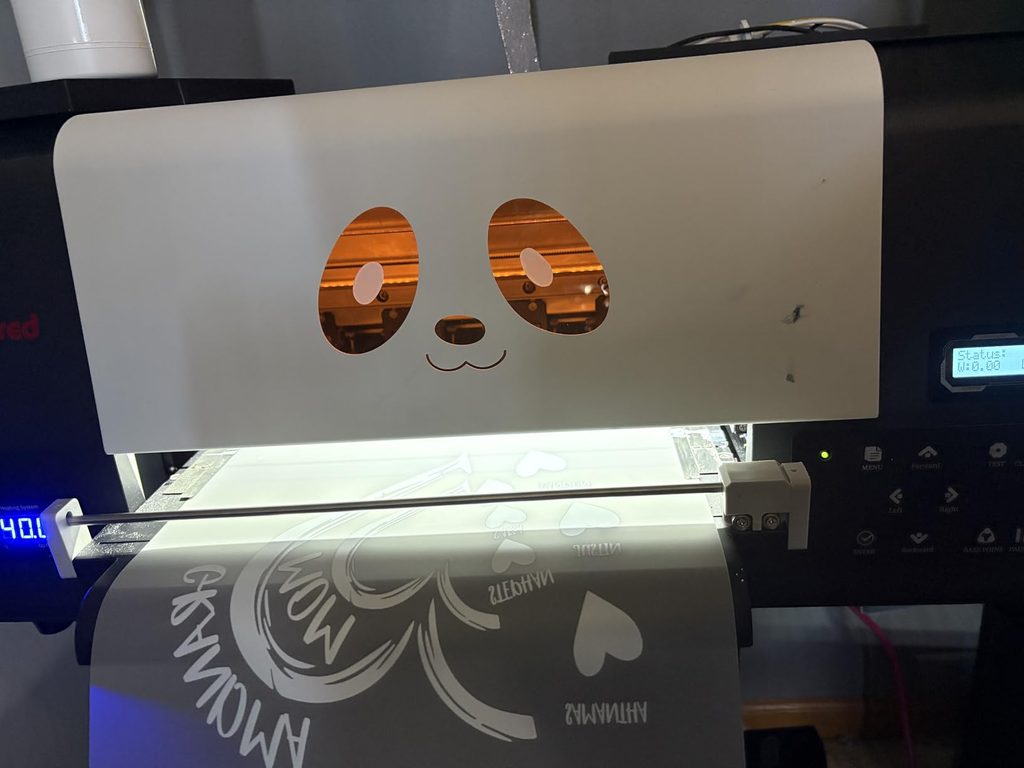
This is the machine I would look at if an inexpensive L1800 or single-head machine is already becoming a bottleneck, but a 24-inch production system would be excessive.
Why Choose It Over the xTool?
That is actually a difficult question because their prices overlap.
The F13 Pro was listed around $5,200 before current promotions when I checked. Procolored also sells configurations with a separate oven or automatic shaker.
At roughly the same printer price, I think the xTool Plus has the stronger automation story.
The F13 Pro makes more sense if you specifically prefer a conventional roll-fed DTF setup, already use the Procolored ecosystem, or find a bundle that makes the economics substantially better.
Procolored also has a fairly broad DTF product range, so parts and consumables are not tied to a single experimental model.
Things I Would Check Before Ordering
The F13 Pro is Windows-only.
I would also compare the cost of the complete system, not the printer.
A printer sitting beside an unopened box of film does not produce finished transfers. You need powder application, curing, pressing, ventilation, ink, cleaning supplies, and room to operate everything.
Once you price those pieces, a cheap standalone printer and an expensive integrated bundle can end up closer than expected.
5. Ving 24-Inch DTF Printer: Best for Commercial Production
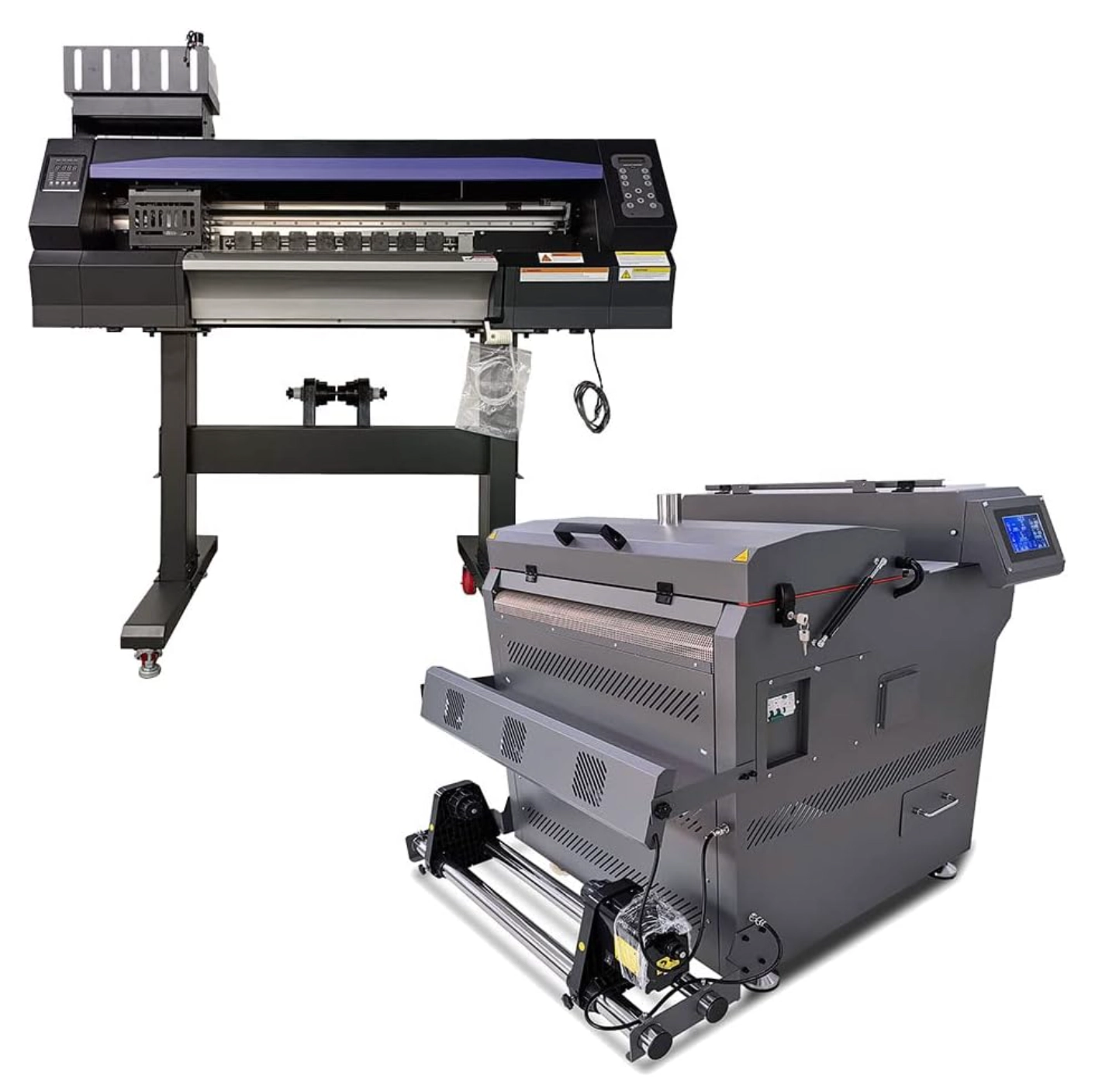
The Ving is here for a completely different buyer.
It has a 24-inch, or 600 mm, printing width with two Epson I3200-A1 printheads.
The current specification lists speeds of about 12 m²/h at 4-pass, 9.5 m²/h at 6-pass, and 7.5 m²/h at 8-pass, with maximum listed resolution reaching 720 x 2400 dpi in 8-pass mode.
That is real production equipment.
The 24-inch roll width lets you arrange larger gang sheets and move far more artwork through the printer than an A4 desktop machine.
It also has the sort of features you expect at this level, including white-ink circulation, platform suction, automatic cleaning, front and rear heating, and nozzle protection.
Why Most Small Businesses Should Not Buy It
The printer was listed around $10,999 when I checked.
Then you need the rest of the workflow.
You also need physical space, electrical capacity, ventilation, consumables, and enough orders to keep the machine doing something useful.
A 24-inch printer is not better for your business just because its production ceiling is higher.
If you currently sell 30 shirts a week, most of that capacity will sit unused and you will still be responsible for keeping the ink system healthy.
If you run an established apparel shop, sell gang sheets to other businesses, or regularly have a queue of production work waiting for your existing machine, the calculation changes.
That is when the Ving starts making sense.
What Makes a Good DTF Printer for a Small Business?
The best DTF printing machine is not the one with the longest feature list.
I care more about what happens during an ordinary Tuesday when you have customer orders to finish.
Start With Print Width
A4 printers around 8.3 inches wide are cheap and compact, but they impose a hard limit on your artwork.
For apparel, 13 to 14 inches is a much more flexible small-business size. It handles most standard shirt graphics without requiring a genuinely commercial machine.
A 24-inch system becomes valuable when gang-sheet efficiency and production volume matter enough to justify the extra space.
Look at the actual artwork you expect to sell.
Your own design dimensions are more useful than somebody else’s recommendation.
Printhead Matters, but Do Not Buy From the Name Alone
The printers in this guide span older L1800 technology, XP600 heads, Epson I1600, and commercial I3200 systems.
Newer, higher-throughput printheads can make a large difference in production speed.
They do not eliminate the rest of the machine.
Ink delivery, firmware, RIP settings, film handling, maintenance design, and manufacturer support all affect whether that expensive printhead produces useful work consistently.
This is one reason I am comfortable keeping the PLK L1800 high on my list despite newer hardware existing. I know how the complete machine behaves.
White Ink Management Is Essential
I would not buy a business DTF printer in 2026 without a serious white-ink management system.
At minimum, look for circulation or agitation.
Better systems add automatic cleaning, wet capping, humidity control, or several of those features.
The xTool Plus stands out here because it combines white-ink circulation with automatic cleaning, wet capping, and built-in humidification.
No system makes a DTF printer maintenance-free.
The goal is to reduce the number of opportunities for the white pigment to settle or dry where you do not want it.
Check the RIP Software Before You Buy
DTF does not work like sending a Word document to an office printer.
RIP software controls things such as ink channels, white underbase, color management, print resolution, and artwork placement.
A $3,000 printer with software you hate can become a worse purchase than a more expensive machine with a workflow you understand.
Mac users need to be especially careful.
PLK’s current DTF information lists Windows support. Punehod and the Procolored F13 Pro are Windows systems too. xTool is the exception among these smaller machines because its current software supports macOS as well as Windows.
Support Is Part of the Machine
A DTF printer is not something I would buy from an anonymous seller purely because it is $300 cheaper.
Eventually you may need a profile, replacement damper, printhead procedure, firmware fix, or help diagnosing an ink-flow problem.
Find out who answers those questions before you pay.
Ask where parts ship from.
Ask how technical support works.
Ask what the printhead warranty actually covers, because printheads are often treated differently from the rest of the printer.
That information is more important to a working business than a decorative touchscreen.
Do Not Forget the Equipment Around the Printer
The advertised printer price is not your startup cost.
At minimum, build your budget around the complete process.
You need DTF ink and PET film. You need adhesive powder. After printing, the powder has to be cured, then the transfer has to be pressed onto the garment.
For low volume, curing can be done with a separate DTF oven.
At higher volume, an automatic shaker oven is a major workflow improvement because it applies powder and cures continuously instead of making you handle each transfer manually.
Ventilation Is Not Optional
This is one part of home DTF setups that deserves more attention.
Heating DTF ink and adhesive powder produces exhaust. xTool’s own operating guidance says its shaker oven should exhaust outdoors or use an appropriate purification system, and its safety documentation warns against operating the curing system in a closed, unventilated room.
So if the printer is going into a spare bedroom, basement, or garage, plan the air handling before planning where the printer table goes.
Do not assume an ordinary desktop air purifier is automatically sufficient for your curing setup.
Follow the safety requirements for the powder, ink, and oven you actually use.
Calculate Total Cost, Not Printer Price
This is the comparison I would make before choosing between two DTF printers:
Equipment cost includes the printer, curing equipment, heat press, ventilation, computer if needed, initial ink, film, powder, and any stand or workspace changes.
Then calculate ongoing costs.
Film and ink are obvious.
Waste film matters too.
Cleaning uses ink and supplies. Printheads eventually become consumable parts. Failed transfers cost money. Your own time has a cost once orders become the bottleneck.
A machine that costs $1,000 more but removes several minutes of manual work from every gang sheet may be cheaper for a busy shop.
The reverse is also true.
There is no reason to spend $7,000 on automation to save labor on ten transfers a week.
How I Would Choose Between These Five
For a new apparel business with enough demand to justify owning a printer, I would start by looking at the PLK A3 range. The L1800 remains my personal top pick because I know it from actual use, but I would price it against PLK’s newer XP600 versions before ordering.
I would choose the xTool Apparel Printer Plus if I had the budget and wanted to minimize the amount of traditional DTF babysitting. The maintenance system and optional shaker oven are much more compelling to me than another small increase in resolution.
For a business trying to enter DTF with the least capital, the Punehod A4 XP600 is the budget choice, as long as 8.3 inches is genuinely wide enough.
The Procolored F13 Pro makes sense once A3 production speed starts to matter, particularly if you want a conventional roll-fed setup and prefer Procolored’s ecosystem.
And I would only move to the 24-inch Ving once sales volume clearly justified commercial equipment.
Final Thoughts
There is no single best DTF printer for every small business.
My own choice is the PLK because I know what it can produce and what living with the machine is actually like.
The xTool Apparel Printer Plus is the machine I find most interesting in the current market because it addresses maintenance and workflow problems instead of simply adding more speed.
The cheaper Punehod gets you into DTF with much less capital. Procolored gives you another route into faster A3 production. Ving belongs in a shop that already knows why it needs 24 inches.
Start with the work you actually need to produce. Measure your designs, estimate your monthly volume, calculate the complete setup cost, and decide how much maintenance you are willing to own.
That will tell you much more than a list of printer specifications ever will.